Announcements

  1. NEW Minecraft Mod Creation Courses for 1.18
    8eede64d-368b-49a7-8880-195e10b85aec

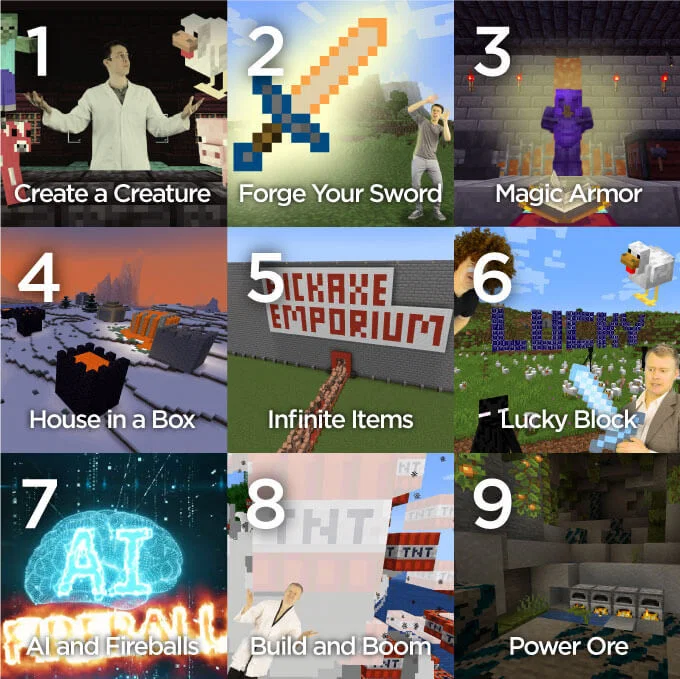
    NEW Minecraft Mod Creation Courses for 1.18 are Live!

    Mod Creation for 1.18, CodaKid's latest Minecraft modding courses, are live on Brite!

    In these awesome video course, students will use the Java coding language to:

    • Create custom tools and powerful weapons
    • Design magic armor, lucky blocks, and custom ore
    • Learn about concepts like variables, loops, and conditionals
    • Use the power of code to make Minecraft their own!

    Mod Creation courses are designed for students ages 10+ who have completed coding basics Intro courses and are ready for intermediate, text-based coding.
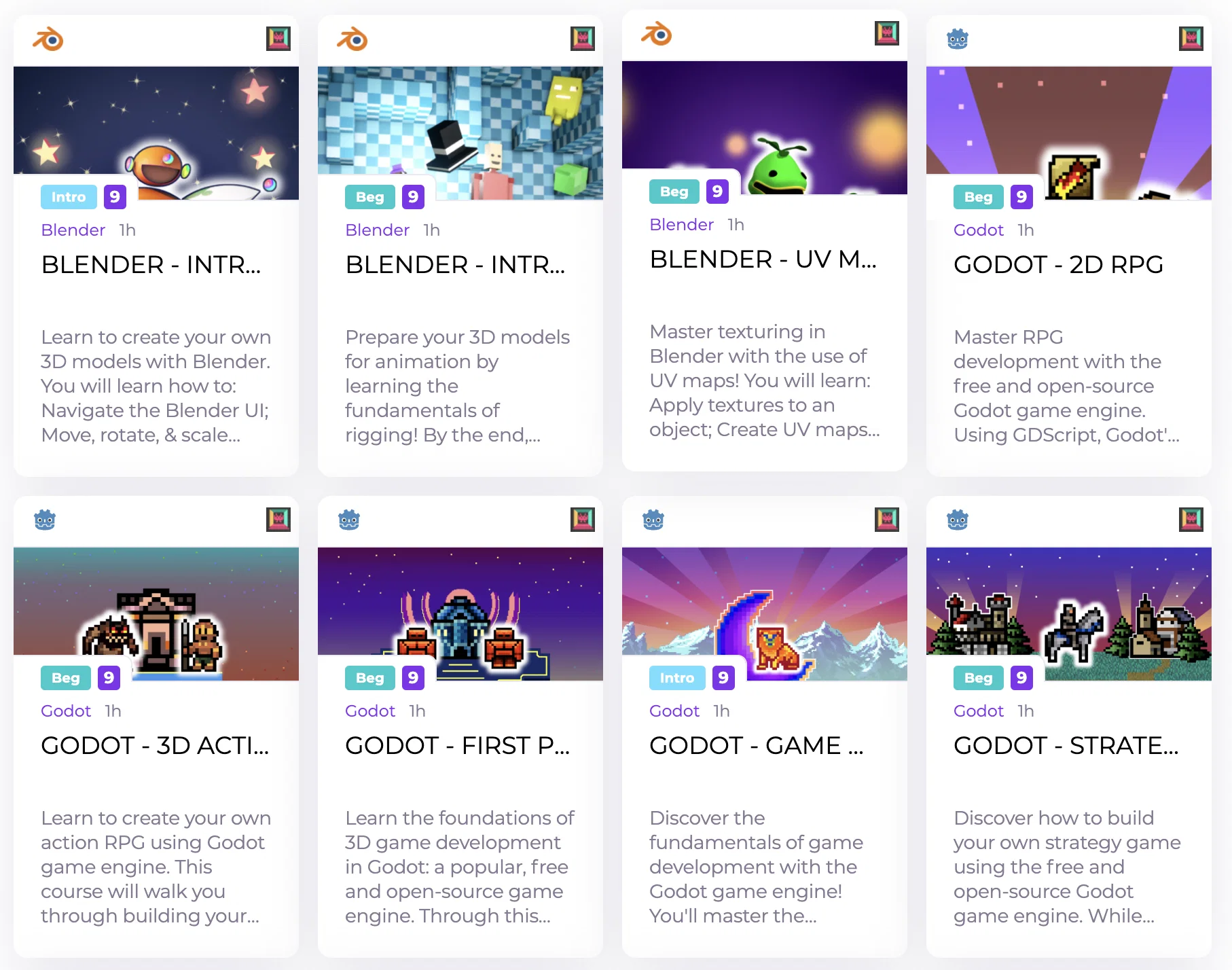
  2. New Blender & Godot courses from Zenva

    Content Updates

    Another batch of exciting courses have been added to our catalog!

    Screen Shot 2022-06-21 at 10.31.26 AM

    To add them to your curriculum:

    • Go to curriculum builder
    • Create a new module
    • Click "Add courses"
    • Filter by Content Creator - Zenva
    • Select desired courses
    • Enjoy watching students creativity explode
  3. Bring Your Own Content

    New Feature

    One of the most exciting features of Brite is finally here!

    Create your own projects and courses and easily add them to your curriculum along with the courses built by the top content creators.

    How to access:

    • Go to "Curriculum Builder"
    • Open "Bring Your Own Content" tab
    • Start creating amazing courses!

    Until next time...

  4. View students' code

    New Feature

    Now as a teacher you can see the code that students are saving in their projects.

    Right now only Scratch and P5.js projects are supported

    Project view

    To see student's work:

    • As admin, go to "Students & Parents"
    • Click on the name of the student you want to see
    • Click on the red arrow inside a module
    • Access student's work
    • Grade graciously


  5. New Content from Jr Engineers

    Content Updates

    Jr Engineers have updated their catalog of courses to include amazing new projects

    JrEngineers

    To view Jr Engineers courses do following:

    • Go to "Curriculum Builder"
    • Open "Project Catalog"
    • Filter by "Content Creator"

    To add Jr Engineers courses to your curriculum:

    • Go to "Curriculum Builder"
    • Create a new module within an existing or a new level
    • Add requested info
    • Select "Content Providers" tab
    • Select Jr Engineers
    • Add desired projects to your curriculum
    • Watch students having blast
  6. Lesson Plans for all Scratch Projects

    Improvement

    We currently have Scratch projects from CodaKid and Jr Engineers.

    Now all of them come with Lesson Plans & Solutions!

    Lesson Plan


    How to access:

    • Login as an Admin or Teacher
    • Go to "Content Resources"
    • Select needed Course/Module on your curriculum
    • Access the documentation

  7. Theme Editor

    New Feature


    Now you can update the look and feel of your Brite platform easily at any time.

    Theme editor

    How to update your theme:

    • Login as admin
    • Go to "Themes"
    • Select the colors you want your account to adopt
    • Click "Save"
    • Enjoy your new look!
  8. Module/Course Description

    New Feature


    Now you can set the description for your modules/courses

    Module Description

    How to:

    • Go to Curriculum Builder
    • Click Edit inside a Module/Course
    • Enter text into the "Course Description" field
    • Click Save
    • Save Curriculum

    Then go to the student account to open the Module/Course and see the description

    Cheers!


  9. Updated Scratch Player

    New Feature

    Now student progress and project completion are done automatically

    Scratch player